

Product and variant catalog
Maintain reusable product identity, categories, brands, units, variants, lifecycle dates, recipes, serials, and medicine links.
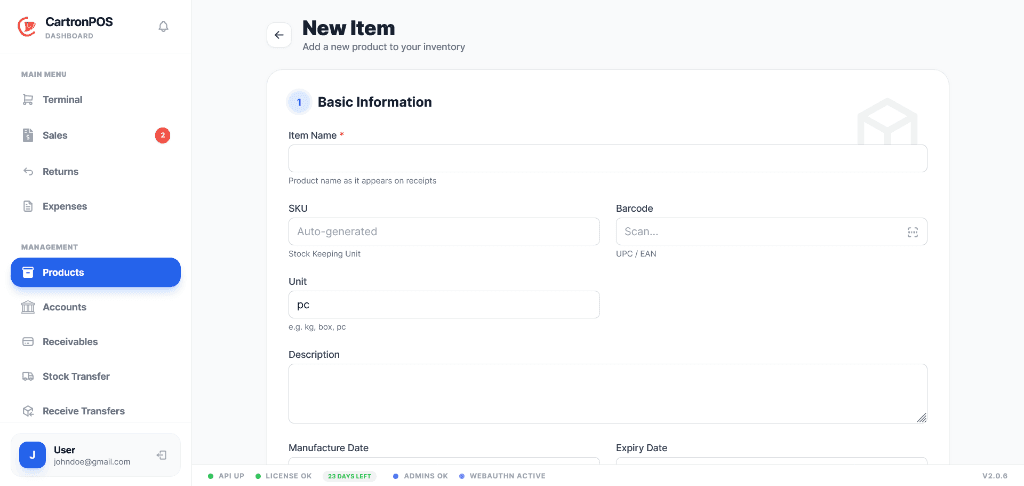
Separate warehouse and selling stock while retaining one traceable product and movement history.
Model products once, then hold quantities by branch, warehouse, division, variant, batch, or serial number. Procurement, receiving, transfers, valuation, and replenishment all use the same branch-scoped stock records.
The workspace is organized around complete operational responsibilities, not a collection of disconnected menu labels.
Maintain reusable product identity, categories, brands, units, variants, lifecycle dates, recipes, serials, and medicine links.
Keep central stores, selling stock, departments, food courts, or product groups separate while retaining a shared product catalog.
Create purchase orders, receive supplier quantities into the intended location, and preserve cost and source references.
Transfer, issue, return, adjust, value, forecast, and reconcile stock through traceable movements and reviewed actions.
These are the principal operational records staff create, update, review, or hand to another connected module.
The module combines records, permissions, location scope, and shared services to support these practical operating results.
Warehouse, selling, departmental, division, variant, batch, and serial quantities remain distinguishable so availability is not overstated at a terminal.
Receiving, transfers, issues, sales, returns, and adjustments create a movement history that explains how each location reached its current balance.
Valuation, shortages, excess stock, forecasts, supplier history, and reviewed assistant recommendations support purchasing and redistribution decisions.
The module connects the following working capabilities through one tenant and branch model.
A typical operating sequence; permissions and branch configuration determine who performs each step.
Create the shared product record and assign it to the required inventory divisions
Receive opening stock or supplier deliveries into the correct warehouse or branch
Transfer, issue, sell, return, or adjust quantities through recorded stock movements
Review valuation, ledger differences, reorder needs, and replenishment decisions
The workspace is connected to the wider platform without removing tenant, location, department, or permission boundaries.
Branch teams can manage supported stock operations locally while hosted inventory provides central configuration and cross-branch oversight. Store, division, batch, variant, and serial ownership remain explicit in both environments.
Product identity is tenant-wide while quantities remain scoped to the store, inventory division, variant, batch, or serial record that owns them. Warehouse stock is not automatically treated as terminal stock.
Review quantities, stock value, movement history, shortages, overstock, replenishment forecasts, transfer state, supplier performance, and ledger differences by branch or inventory owner.
Module enablement makes the workspace available to the organization. User assignments and permissions still control its menus and actions.
Administrators can combine module access with branch, store, campus, facility, department, menu, and action permissions. A shared user may work across approved workspaces without receiving access to unrelated records.
Hosted onboarding records the organization, first branch, business type, module selection, and owner account. Additional branches, roles, and permissions can be configured from administration.