

Checkout and order capture
Search or scan products and variants, hold carts, attach customers, and apply permitted prices, promotions, or loyalty rules.
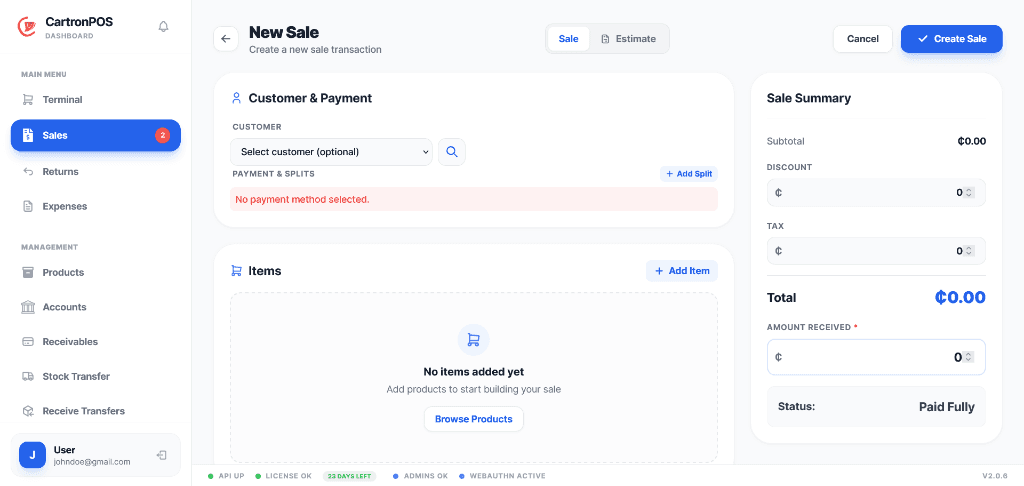
Fast branch checkout with accountable payments, cash control, returns, promotions, and customer loyalty.
Run the terminal in the hosted application or keep selling through the local desktop app when connectivity is unreliable. Every sale remains tied to its branch, cashier, payment account, stock movement, and audit history.
The workspace is organized around complete operational responsibilities, not a collection of disconnected menu labels.
Search or scan products and variants, hold carts, attach customers, and apply permitted prices, promotions, or loyalty rules.
Collect cash, card, mobile, credit, or split payments through configured accounts and accountable drawer sessions.
Issue receipts, review completed transactions, and process controlled returns or corrections against the original sale.
Connect selling activity to customer history, stock movement, cashier accountability, and branch reporting.
These are the principal operational records staff create, update, review, or hand to another connected module.
The module combines records, permissions, location scope, and shared services to support these practical operating results.
Cashiers can complete routine and split-payment sales quickly while every transaction remains attributable to a user, drawer, account, and branch.
Completed sales and returns update the connected inventory and accounting records instead of leaving separate totals for staff to reconcile manually.
The local terminal keeps supported selling workflows available during connectivity interruptions and exchanges branch-scoped records after reconnection.
The module connects the following working capabilities through one tenant and branch model.
A typical operating sequence; permissions and branch configuration determine who performs each step.
Open or confirm the cashier drawer session
Build the cart and apply the approved customer, price, promotion, or loyalty rules
Collect one or more payments and issue the receipt
Post stock, account, customer, and audit activity to the originating branch
The workspace is connected to the wider platform without removing tenant, location, department, or permission boundaries.
Use the hosted terminal where connectivity is dependable or the local desktop terminal for offline-capable branch selling. Supported records synchronize with their originating branch when a hosted connection is available.
Sales and drawer sessions belong to the selling branch. Store assignments, POS menu access, and action permissions determine who may sell, discount, return, reconcile, or review transactions.
Review sales, revenue, margin, products, discounts, returns, payment methods, drawers, cashiers, customers, and branch comparisons without merging transactions from different locations.
Module enablement makes the workspace available to the organization. User assignments and permissions still control its menus and actions.
Administrators can combine module access with branch, store, campus, facility, department, menu, and action permissions. A shared user may work across approved workspaces without receiving access to unrelated records.
Hosted onboarding records the organization, first branch, business type, module selection, and owner account. Additional branches, roles, and permissions can be configured from administration.